



This Function Expand Firmware has been designed to further enhance the performance and operability of your RICOH GR IV, by adding the latest functions and new settings to the camera.
Firmware Update
- 2026.10.21
- ”RICOH GR IV” and “RICOH GR IV HDF” function-expansion firmware version 1.20 have been released.
- 2026.02.13
- ”RICOH GR IV” and “RICOH GR IV HDF” function-expansion firmware version 1.11 have been released.
Function Expand Information (GR IV GR IV HDF Version 1.20)Download
The following features have been added in the firmware version listed above.
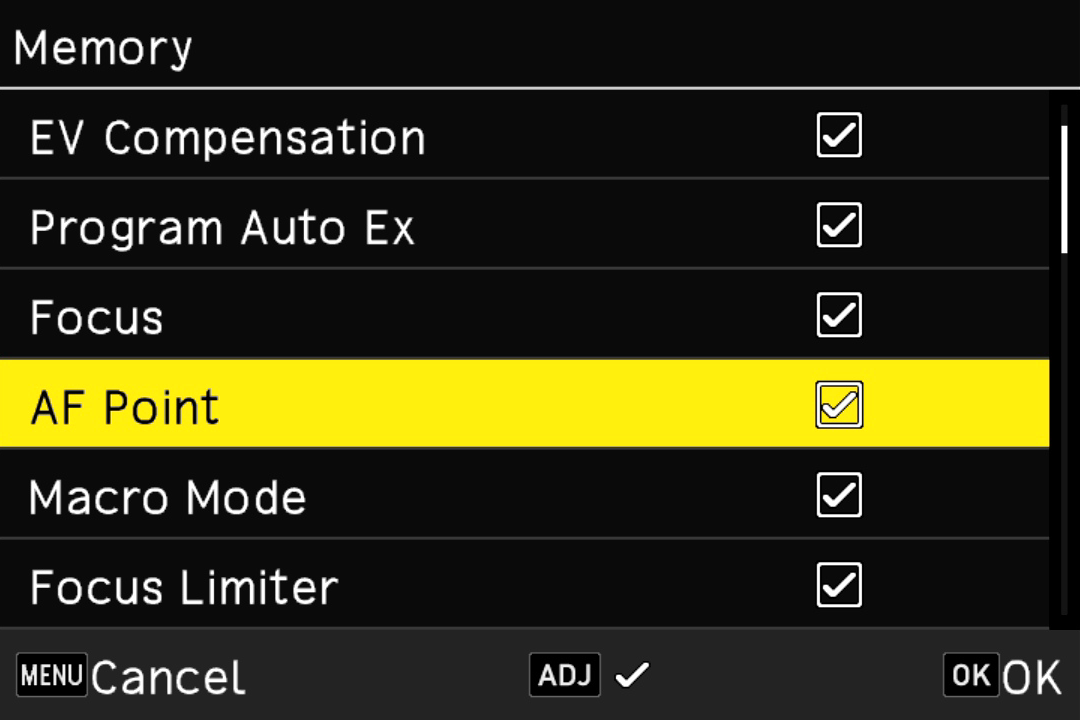
1. “AF Point” Added to “Memory”
”AF Point” has been added to “Memory”.
When “AF Point” is selected, the camera retains the position of the selected AF point as before when using “Zone Select AF,” “Select AF,” “Pinpoint AF,” “Tracking AF,” or “Continuous AF.”
When “AF Point” is deselected, the AF point returns to the center when the camera is turned off and then on again.
2. “Restore User Mode Settings” Added to “User Mode”
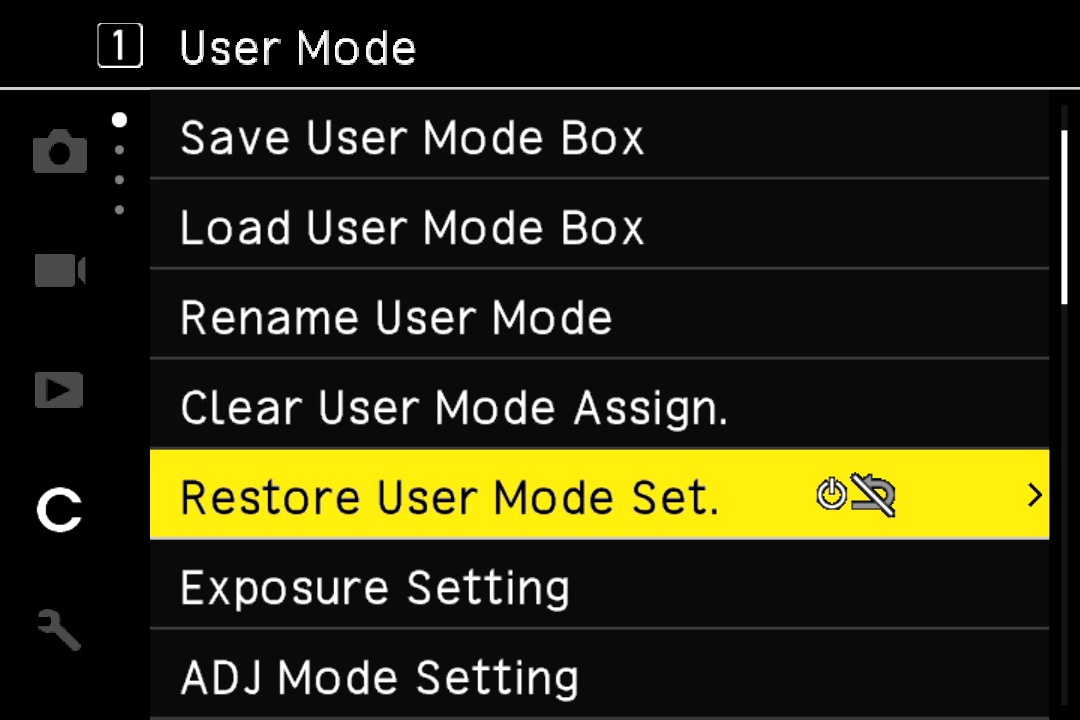
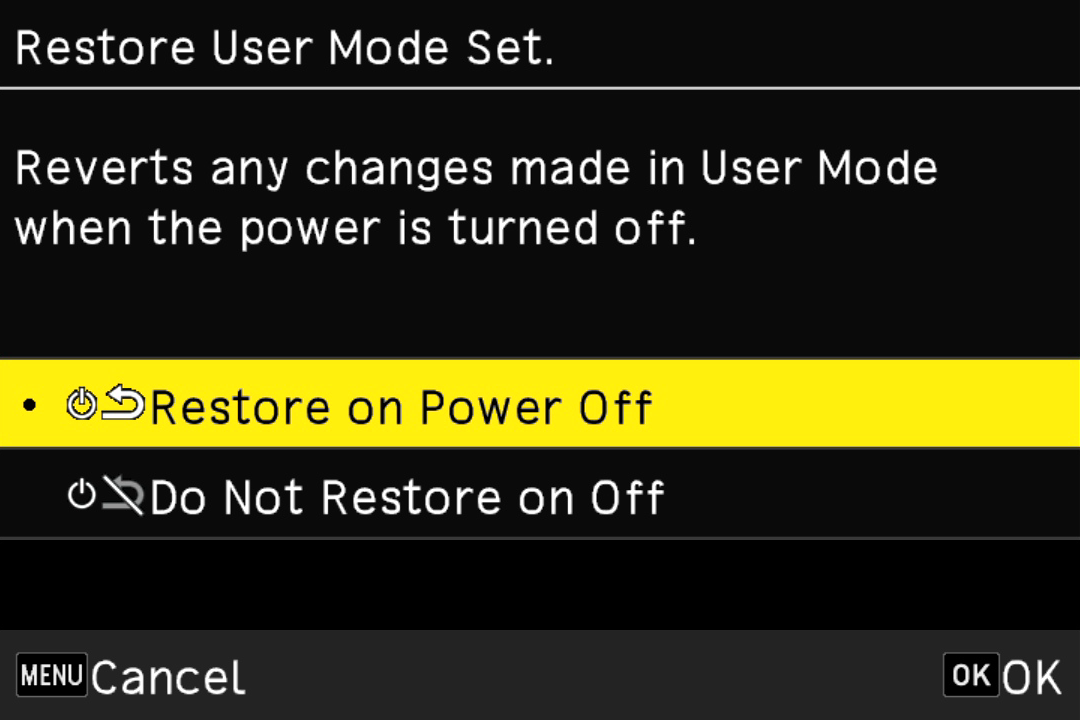
”Restore User Mode Settings” has been added to “User Mode” in the “Customize Settings” menu.
When “Restore on Power Off” is selected, the settings registered to User Mode are restored when the camera is turned off and then on again.
When “Do Not Restore on Off” is selected, the shooting settings in effect immediately before the camera was turned off are retained when the camera is turned off and then on again.
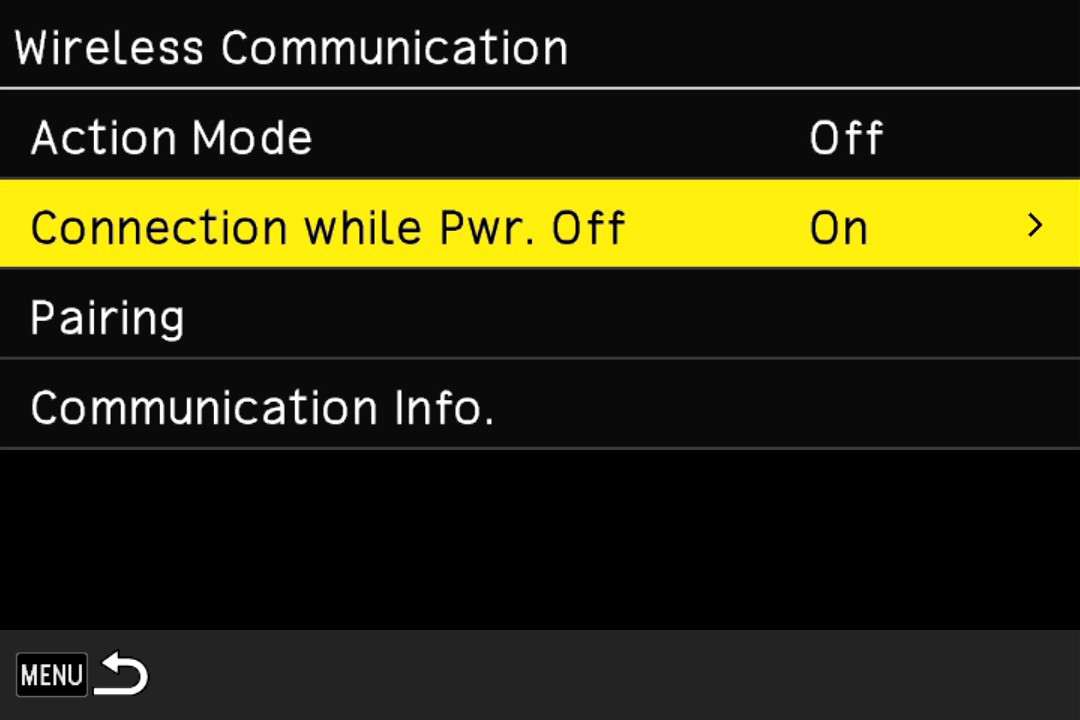
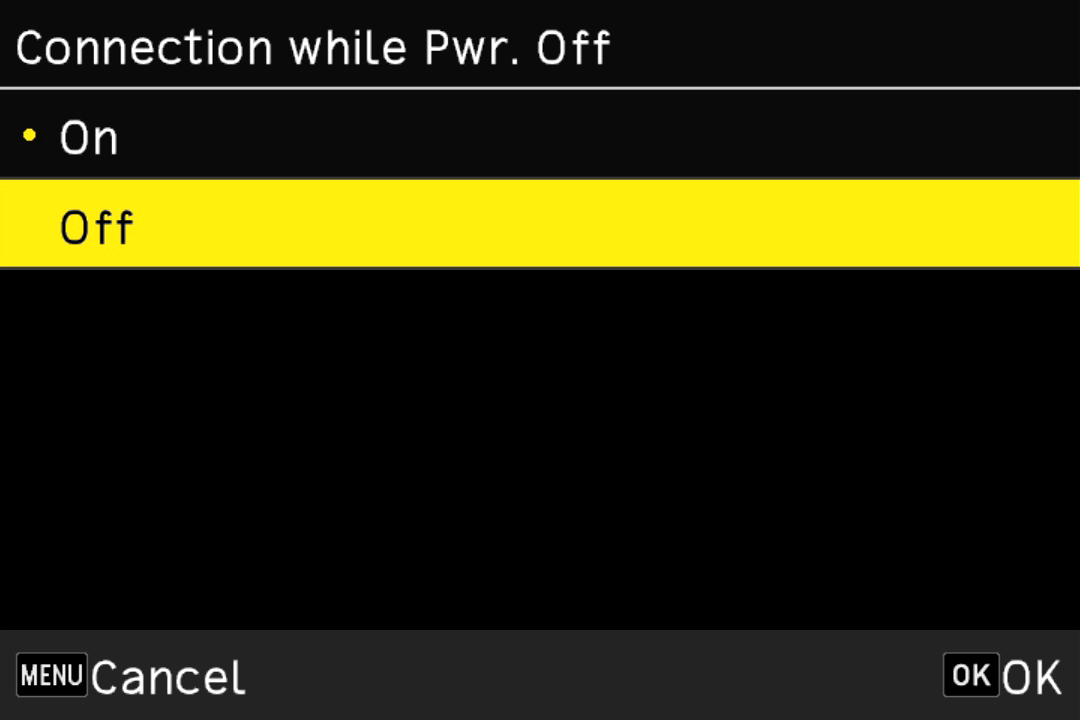
3. “Connection while Power Off” Added to “Wireless Communication”
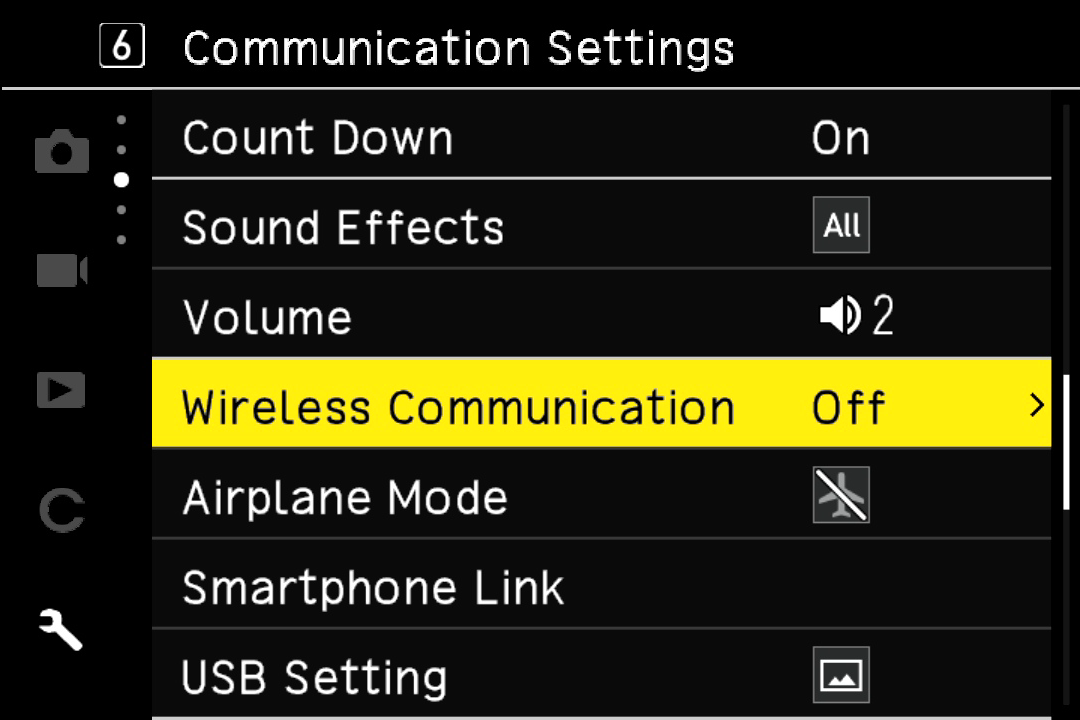
”Connection while Power Off” has been added to “Wireless Communication” under “Wireless Connection” in the “Setup” menu.
You can select “Off” or “On” for “Connection while Power Off.”
When “Connection while Power Off” is set to “Off”
The camera does not remain on standby for a connection from GR WORLD, reducing battery power consumption. To turn the camera back on, use the power button of the camera.
When “Connection while Power Off” is set to “On”
The camera remains on standby for a connection from GR WORLD, the app for smart devices. Even when the camera is powered off, you can turn it on from GR WORLD.
4. Others
- The End Screen of the camera can be changed using GR WORLD, the app for smart devices.
- The stability of overall operation has been improved.
Firmware Update
GR IVGR IV HDF Click here for firmware update
For the GR IV/GR IV HDF, you can update the firmware using the smart device application "GR WORLD".

Update History
Function Expand Information GR IVGR IV HDF Version 1.11
The above firmware version adds an electronic shutter function (GR IV) and improves overall operational stability.
"Electronic Shutter" for high-speed shutter
The electronic shutter function newly added to the GR IV HDF has also been added to the GR IV.
The electronic shutter allows you to shoot at high shutter speeds.
The shutter speed can be set up to 1/16000 second, allowing you to shoot with the correct exposure even when using a shutter speed close to maximum aperture in bright environments.
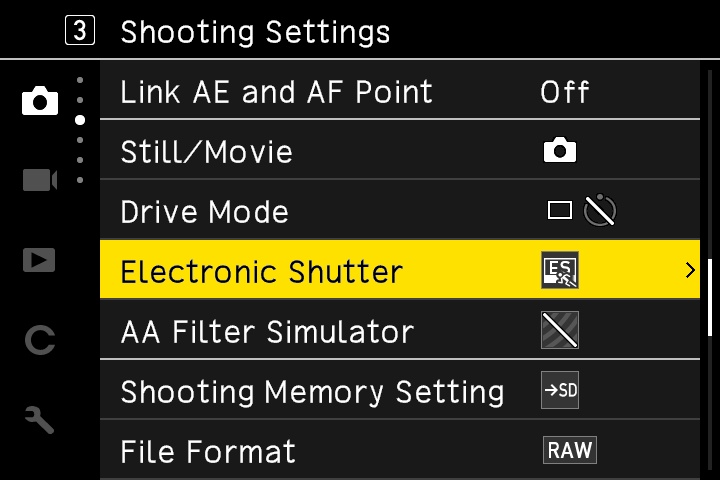
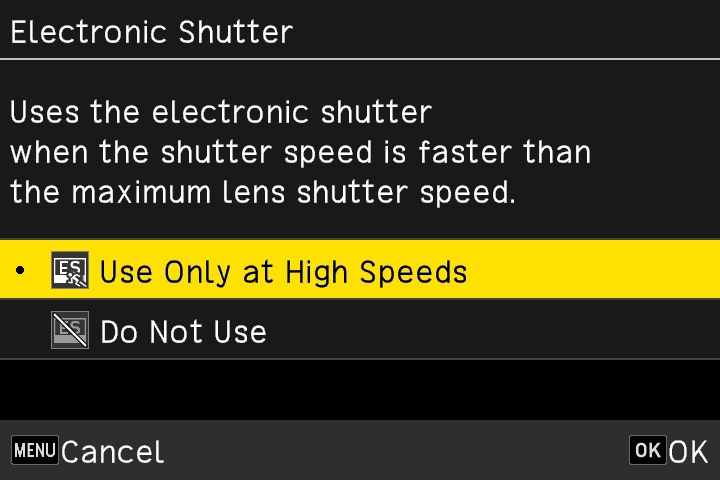
[Electronic Shutter] is added in the "Shooting Settings" menu.
Electronic Shutter:ON
[Electronic Shutter] is added in the "Shooting Settings" menu.
In addition, the stability of overall operation has been improved.