


Support & Service
Downloads : Firmware Update
Thank you for using GR IV Monochrome digital camera.
RICOH IMAGING COMPANY, LTD. wishes to announce the release of Firmware Update Software Version 1.10 for GR IV Monochrome.
Applicable Models: RICOH GR IV Monochrome
Firmware in this document is the software that runs inside digital cameras.
Changes to V1.10
<Improved Contents>
Added the [Solarized Effect] Image Control.
This monochrome mode creates a fantastical and surreal effect through a unique rendering that includes inversion of the tones and contours of black and white images.
You can shoot images while checking the effect in real time on the camera's rear LCD monitor immediately before shooting, without the need for darkroom processing and printing or image editing on a PC.
You can also use the exposure compensation function to adjust the desired rendering and contrast between light and dark areas when shooting.
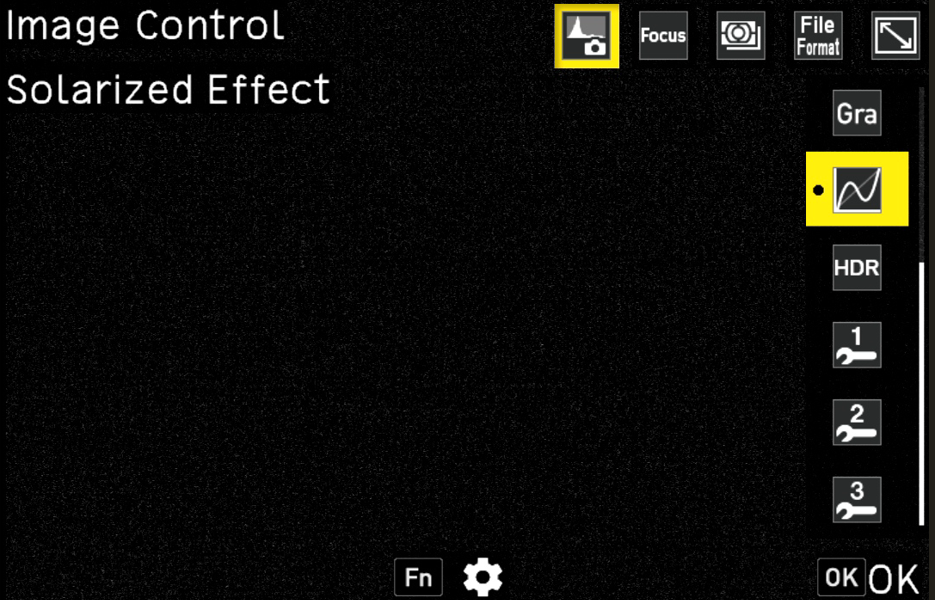
When [Solarized Effect] Image Control is selected, press the Fn button to select from three types: [Type 1], [Type 2], and [Type 3].
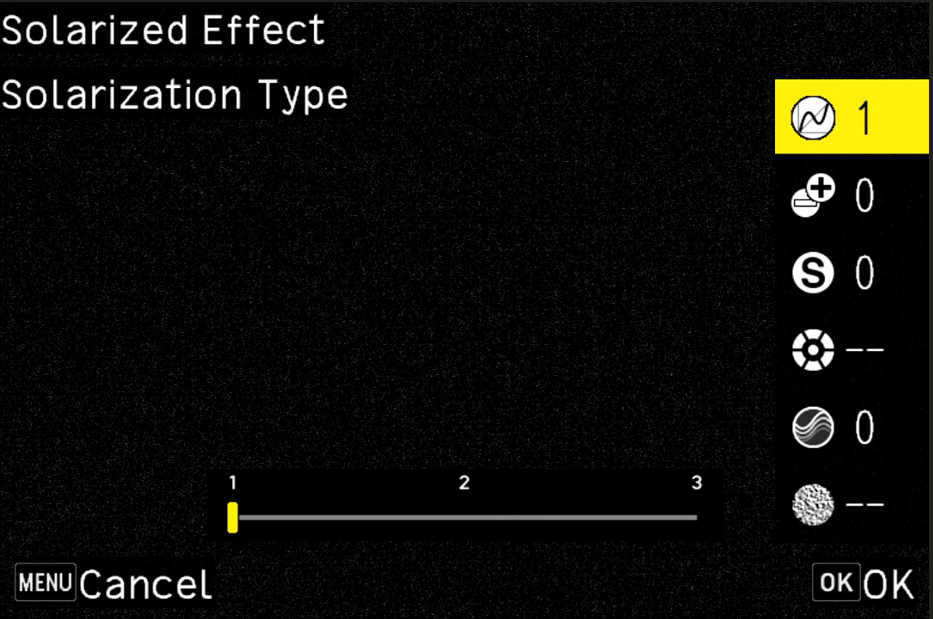
[Type 1] (Default)
This mode boldly reverses the tones in the mid-brightness range while maintaining the brightness relationship between highlights and shadows.
It produces an impressive and surreal effect characteristic of solarization.
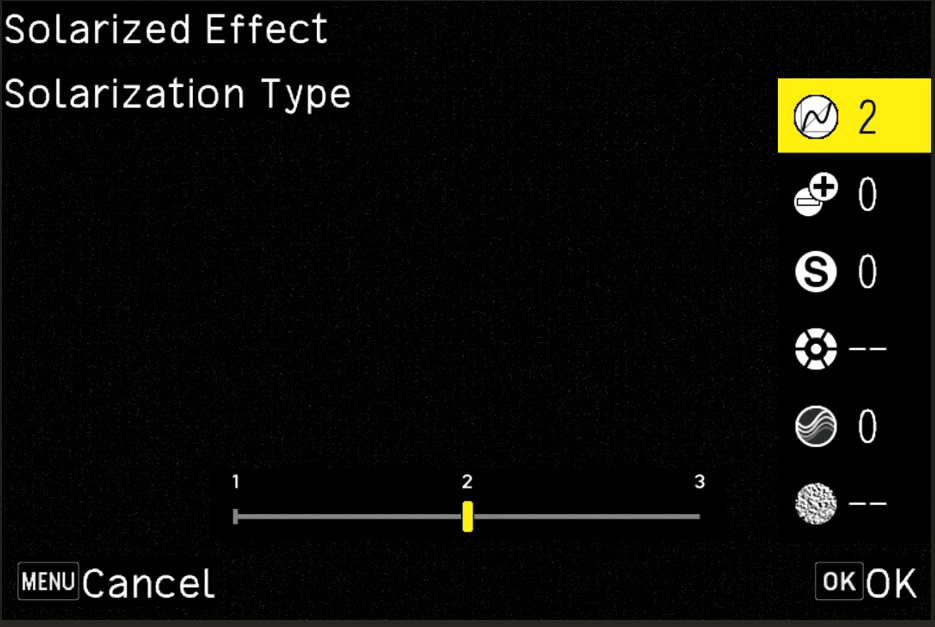
[Type 2]
This mode creates two inverted areas in the highlights and shadows while maintaining the overall brightness relationship of the image.
It retains a photographic appearance while making it easier to apply the distinctive solarization effect to areas such as the contours of the subject.
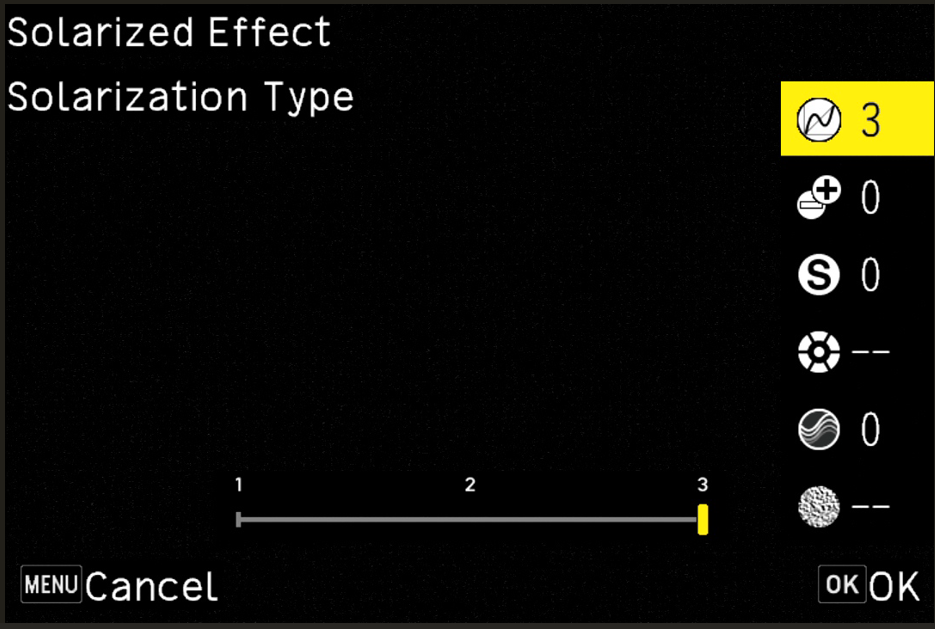
[Type 3]
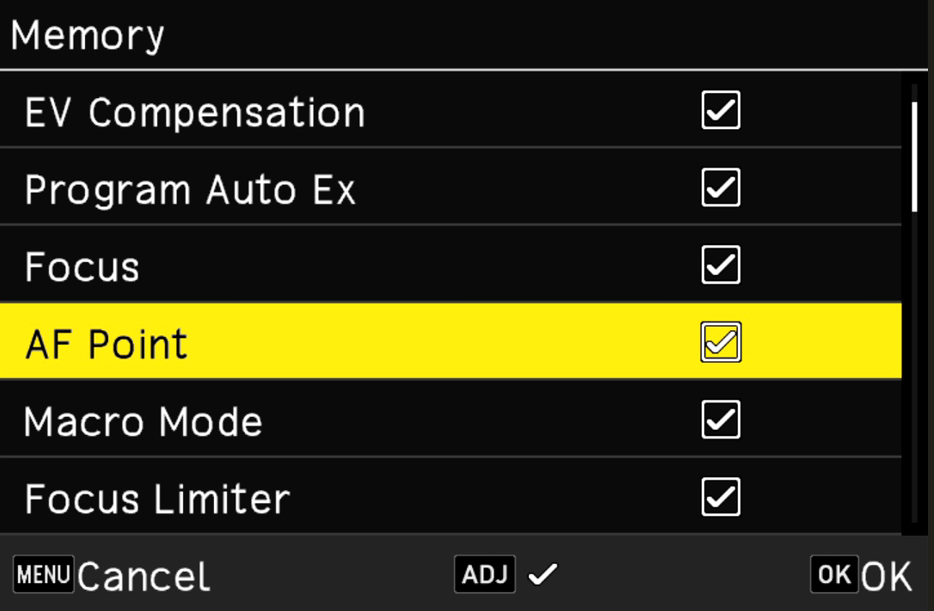
This mode provides a more subtle effect without inverting the highlights. By reversing the tones in the shadow areas, dark areas appear to emerge, creating a unique glossiness that differs from reality and a subtle sense of unease.Added [AF Point] to [Mode Memory] under Menu > Custom Settings > [2] Operation Customization.
When the check mark for [AF Point] is removed (set to Off), the AF point returns to the center position when the camera is turned off and then on again.
*This applies when using Zone Select AF, Select AF, Pinpoint AF, Tracking AF, or Continuous AF.
When the check mark is selected (set to On), the position of the AF point selected immediately before the camera was turned off will be retained, as before.
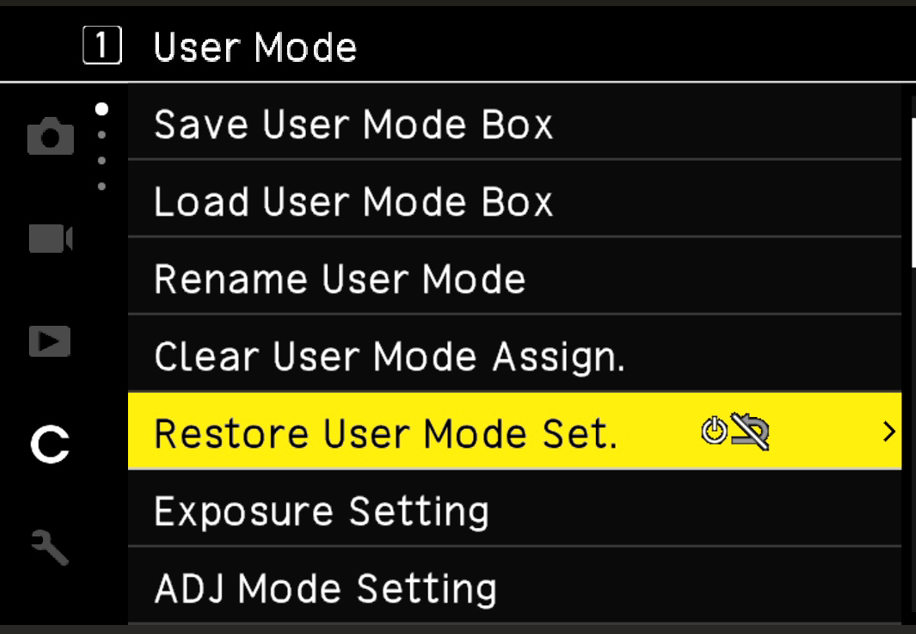
Added [Restore USER Mode Settings] to [1] USER Mode under Menu > Custom Settings.
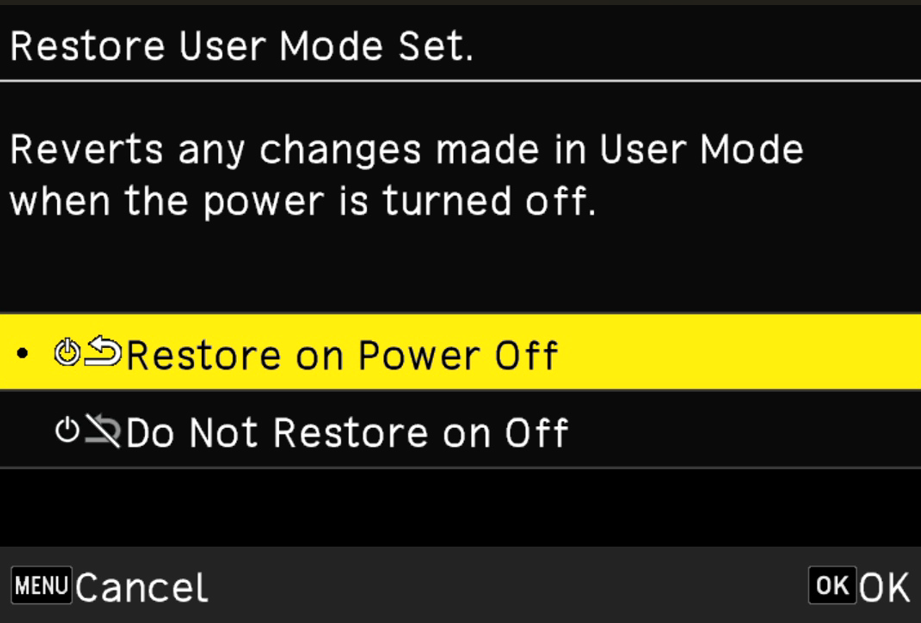
When [Restore at Power Off] is selected, the settings registered in USER Mode will be restored when the camera is turned off and then on again.
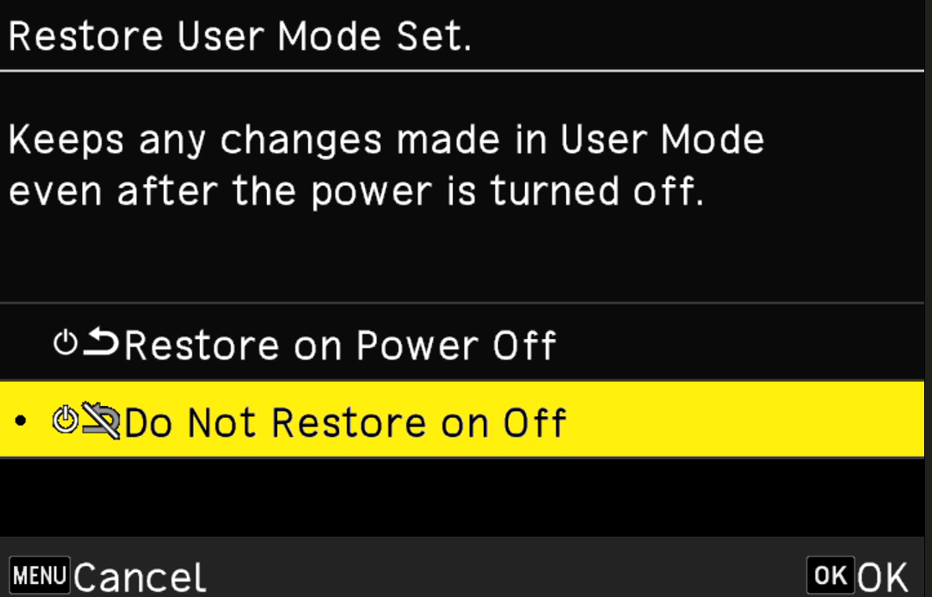
When [Do Not Restore at Power Off] is selected, the shooting settings in effect immediately before the camera is turned off will be retained when the camera is turned on again.
Added [Connection When Power Off] to the Wireless Communication Settings under Menu > Setup > [6] Communication Settings.
You can select [On] or [Off] for [Connection When Power Off].
The screen below shows the Wireless Communication Settings selected under Menu > Setup > [6] Communication Settings.
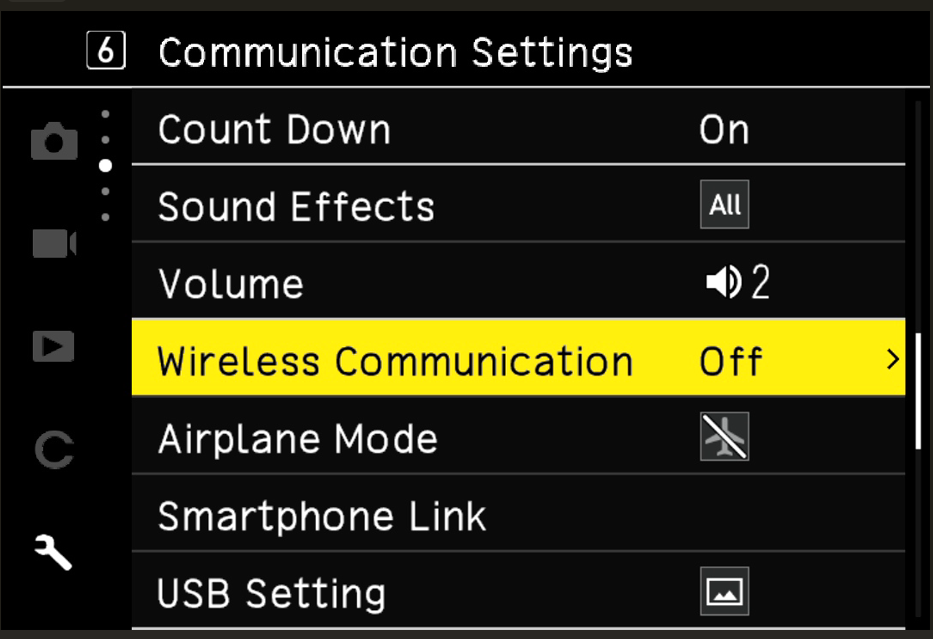
Pressing the Direct Key [Drive/Right] button on the screen above switches to the screen below, where [Connection while Power Off] can be set to [On] or [Off].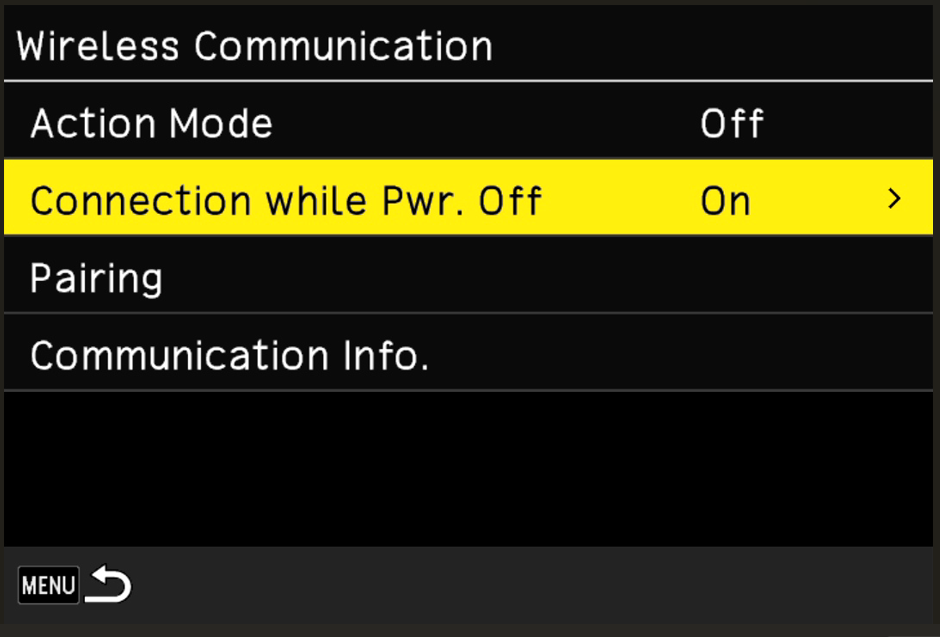
When [Connection While Power Off] is set to [On] on the screen above:
The camera remains in a standby state, continuously waiting to receive signals from the smart device app GR WORLD.
Even when the camera is turned off, you can turn it on from the smart device app.
Pressing the Direct Key [Drive/Right] button on the screen above displays the screen below.
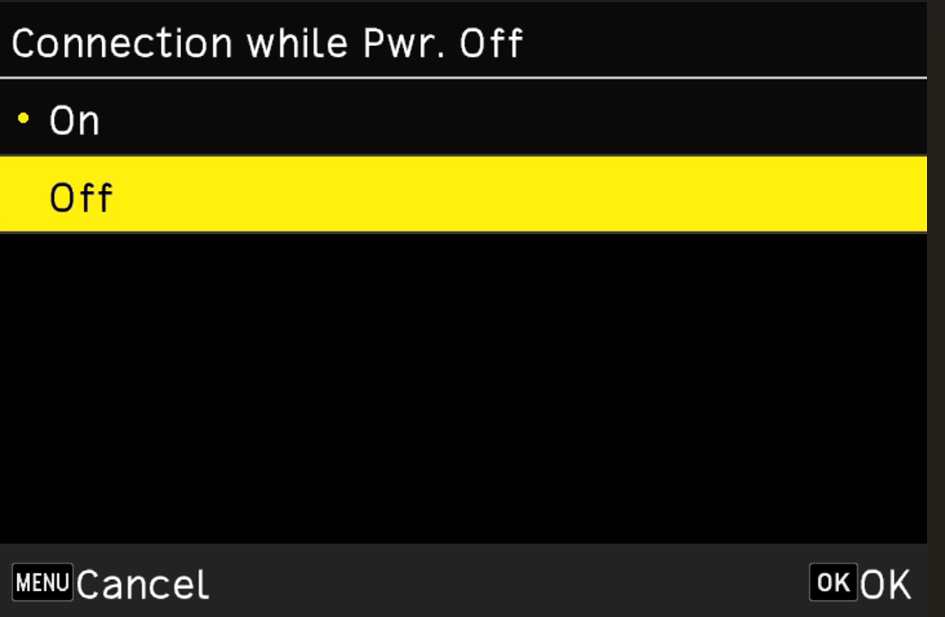
On this screen, select [Off] using the Direct Key and press the OK button to display the screen below.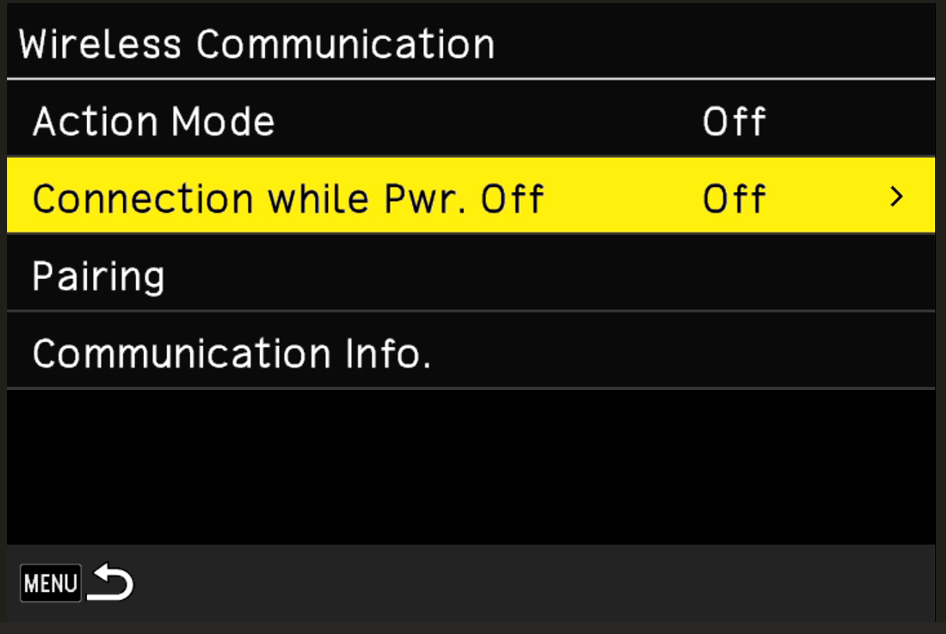
When [Connection While Power Off] is set to [Off] on the screen above:
The camera will no longer accept any signals sent from the smart device app GR WORLD, helping to reduce battery consumption.
To turn the camera on again, press the power button on the camera.Added the certification mark required for use in India.
You can now change the end screen displayed when the camera is turned off using the smart device app GR WORLD.
Improved stability for general performance.
Caution
- Only users of the RICOH GR IV Monochrome may download this firmware update.
Firmware Update Software for GR IV Monochrome
| Name | Firmware Update Software for GR IV Monochrome |
|---|---|
| Registered name | gr4_mono_v110.zip (zip type file 33,890KB) |
| Applied product | RICOH GR IV Monochrome |
| Updated firmware file | Zip type (For Windows/Mac) |
| Release date | 2026/10/21 |
| Copy right | RICOH IMAGING COMPANY, LTD. |
- 1. This software may only be used by users who own the GR IV Monochrome.
- 2. This software is covered by a software license agreement. Please read the software license agreement before downloading the software.
- 3. You will have agreed with this software license agreement when the download starts.
Firmware Update Software for GR IV Monochrome Software License Agreement
The customer (hereinafter "the user") shall verify the following items below related to the use of the licensed software supplied to the user by RICOH IMAGING COMPANY, LTD. The download starts when you press "I agree. Start download." on this software license agreement.
- Definition of terms
- Licensed software: "Licensed software" means the captioned program in a format that the user can download from the RICOH IMAGING COMPANY, LTD website or from a site empowered by RICOH IMAGING COMPANY, LTD.
- Use : "Use" means the user downloading and retrieving the licensed software from the RICOH IMAGING COMPANY, LTD website or from a site empowered by RICOH IMAGING COMPANY, LTD .
- Designated machine: "Designated machine" means the single computer system set up in order for the user to use the licensed software.
- Reproduction: "Reproduction" means reproducing the licensed software on a storage device in the same format as the user downloaded or a different format.
- Modification: "Modification" means performing alternations or making additions to the licensed software, or creating separate software that makes use of all or a portion of the licensed software.
- Grant of license
RICOH IMAGING COMPANY, LTD grants a non-exclusive license to the user on the condition that the user uses the licensed software in accordance with the terms and conditions of this software license agreement. The user may only use the licensed software on the designated machine. -
Reproduction of the licensed software
The user shall not reproduce the licensed software for purposes other than to save and backup the licensed software intended for use on the designated machine. - Modifying the licensed software
The user shall not modify or reverse engineer the licensed software for any reason. - Property rights and copyright
The copyright and other property rights for the licensed software and for reproductions of the licensed software belong to RICOH IMAGING COMPANY, LTD regardless of any reason. The user shall not remove the copyright notations from the licensed software or from reproductions of the licensed software. - Grant of sublicense
The user shall not transfer possession of the licensed software or reproductions of the licensed software to third parties, and the user shall not transfer the license nor grant a sublicense of the licensed software to third parties. - Agreement period
This software license agreement is effective on the day the user starts using the licensed software and is valid until the time the user stops use. Provided that, when the user has violated any portion of this software license agreement, RICOH IMAGING COMPANY, LTD may revoke the license granted to the user for the licensed software and terminate the software license agreement. - Obligations after termination
After the software license agreement is terminated, the user, at the user's own responsibility, shall dispose of the licensed software after rendering it into a state where it cannot be used by third parties, and dispose of reproductions and modifications of the licensed software, and all materials related to the licensed software. - Guarantee of the licensed software
RICOH IMAGING COMPANY, LTD shall not guarantee that the licensed software is suitable for the user's designated purposes, or that the licensed software is useful, or that this licensed software is free from defects, nor shall RICOH IMAGING COMPANY, LTD make any other guarantees related to the licensed software. - Exporting the licensed software
The user shall not directly or indirectly export all or a portion of the licensed software without obtaining the necessary permission from the Government of Japan or the governments of the relevant countries. - RICOH IMAGING COMPANY, LTD 's responsibilities
RICOH IMAGING COMPANY, LTD A assumes no responsibility under any circumstance for direct or indirect damage or damage from ripple effects that occurs from using the licensed software, for damage to data, programs, or other intangible properties, or for loss of usage benefits and lost profits. - Responsibility for employees
The user assumes all responsibility that the user's employees (those employees that the user has a responsibility to manage or monitor based on an employment relationship) fully comprehend the obligations set forth in this software license agreement and faithfully fulfill those obligations.
- For Windows/Macintosh:
- I agree. Start download I do not agree. Go back.